Friday, October 28, 2016
Custom Rom Kitkat Cyanocream v4 for Samsung Galaxy Y GT S5360
Custom Rom Kitkat Cyanocream v4 for Samsung Galaxy Y GT S5360
Oke bro langsung saja malam ini saya akan memberikan custom rom buat gakyoung yaitu Custom Rom Kitkat Cyanocream v4 for Samsung Galaxy Y [GT-S5360]
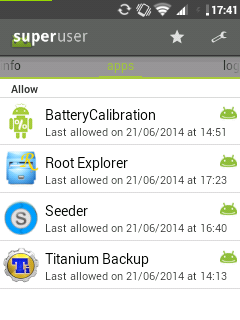
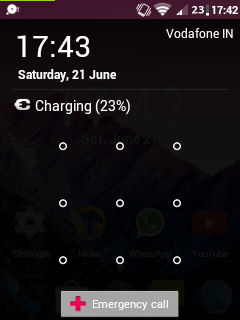
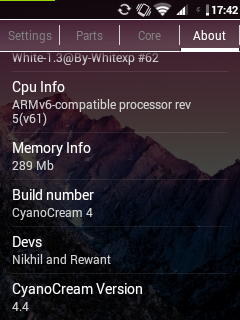
Lihat Penampakannya:
![Custom Rom Kitkat Cyanocream v4 for Samsung Galaxy Y [GT-S5360]](https://blogger.googleusercontent.com/img/b/R29vZ2xl/AVvXsEhOkyjdutRgFZvaaI90Fc8-tvcFesXsztSkpKfj_RM402el8TclMjx4HNKKDLNm8rcQVgXTwoIDhuv0ruwyH26KsMnGsnJxPs8jk1AO46wCG-XfdfJ1J7dnlwDmFfsQjyCNNI0cw2JdY84u/s1600/wallpaper_01.jpg "Custom Rom Kitkat Cyanocream v4 for Samsung Galaxy Y [GT-S5360]")




Bahan:
- A rooted Galaxy Y with a stock rom
- CWM download it from here
- Cyanocream v4 from here
- Cyanocream v4.1 from here (update only)
- Cyanocream v4.2 from here (update only)
- Turn off your phone and wait till it vibrates
- After it vibrates press the three button combo (volume up+home+power button)
- Then use the volume up/down keys and select apply update from sd card and select CWM Recovery.zip
- Now go to mounts and storage and mount all partitions except the sd-ext because it is not possible on the stock kernel of galaxy y
- Then go to apply update from sd card and then choose zip from sd card
- After that select Cyanocream v4.zip
- Aroma Installer will start after a few seconds
- Choose a theme of your choice
- Then keep pressing next in the instructions
- After that select installation of stock kernel
- Do not select reboot after installation
- Now select install
- After the installation of the stock kernel is complete go to advanced and select reboot recovery
- After that the phone would boot again the stock recovery (the red one)
- Again select apply update from sd card and then select CWM Recovery.zip
- Now select apply update from sd card, choose zip from sd card and then select Cyanocream v4.zip
- This time select installation of White XP 1.3.3 and DO NOT select reboot after installation.
- Again go to advanced and then select reboot recovery
- Now again select Cyanocream v4.zip from sd card
- This time choose the installation of Cyanocream Rom and select reboot after installation
- The installation will take some time to complete
- Now the device will reboot on its own.
- The first boot will take time (4-5 minutes) and it might even show the boot animation 2 times so dont think that it is stuck in a bootloop
- Finally you have installed Cyanocream v4 on your galaxy y
Go to link download

Thursday, October 20, 2016
Samsung considers KitKat update for entry level smartphones
Samsung considers KitKat update for entry level smartphones
Samsungs plans for updating its high-end tier of smartphones have already been unveiled and we know the Galaxy Note 3, Galaxy Note 2, Galaxy S3 and the Galaxy S4 are getting Android 4.4 KitKat in January. As it turns out, though, the manufacturer is considering also bringing the latest version of Android to its more affordable droids. A leaked internal document shows that Samsung is...
by via GSMArena.com - Latest articles
Go to link download
Sunday, August 7, 2016
Android 4 4 1 KitKat update improves the Nexus 5 camera
Android 4 4 1 KitKat update improves the Nexus 5 camera
Googles Director of Engineering for Android David Burke has told in an interview for The Verge that Android 4.4.1 KitKat update is coming and its bringing several improvement for the Nexus 5 camera. He confirmed that the smartphones camera will now focus faster and will aim to select faster shutter speeds, not relying as heavily on its OIS as it does now. This means that post-update...
by via GSMArena.com - Latest articles
Go to link download